
 ReportMason for iPhone & iPad
Turn jobsite photos into a report your client can follow.
Add captions, arrange the evidence, and preview a PDF before you send it.
For the repair visit, maintenance update, or property check that needs more context than a camera roll.
Free to download. Limited free PDF exports. Optional one-time Lifetime Pro.
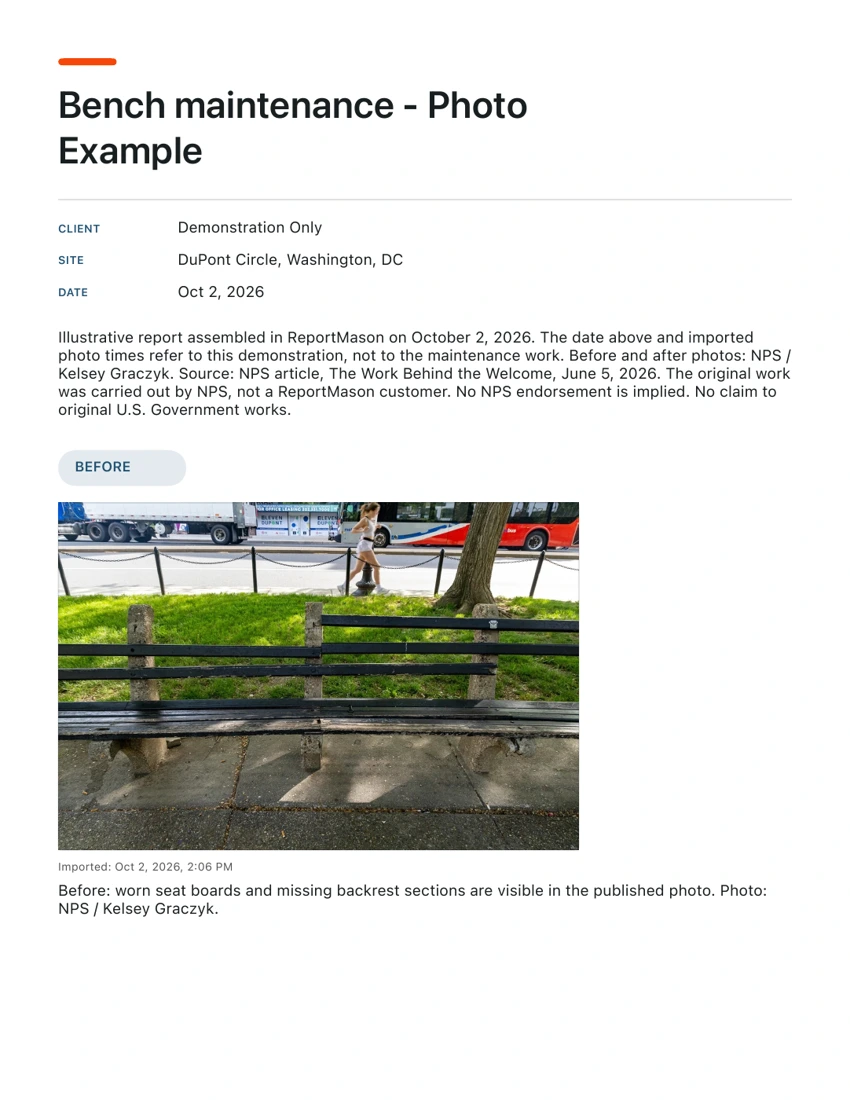
Credited NPS photos, assembled as a demonstration.
Read the result first
One maintenance visit. A readable record.
The sample puts a bench’s visible condition before and after maintenance in two PDF pages. Project details and captions travel with the photos, so the recipient can follow the comparison.
2 pages · 1.2 MB · No email or signup.
Photos: NPS / Kelsey Graczyk, from The Work Behind the Welcome. No claim to original U.S. Government works. NPS reuse notice. This is an illustrative ReportMason report; the work was carried out by NPS, not a ReportMason customer. No NPS endorsement is implied.
From your photos to a PDF
Give each photo a job to do.
Start with the job
Create a report with a title, client, site and date. Choose Photo Report for a simple record.
Add the photos
Capture in the report or import from your library. Choose the photos that help explain the work.
Add context
Set Before, During or After and write a caption about what is visible. Review the order and date labels.
Preview, then export
Read the whole PDF. When it is ready, export and use the iOS share sheet to choose its destination.
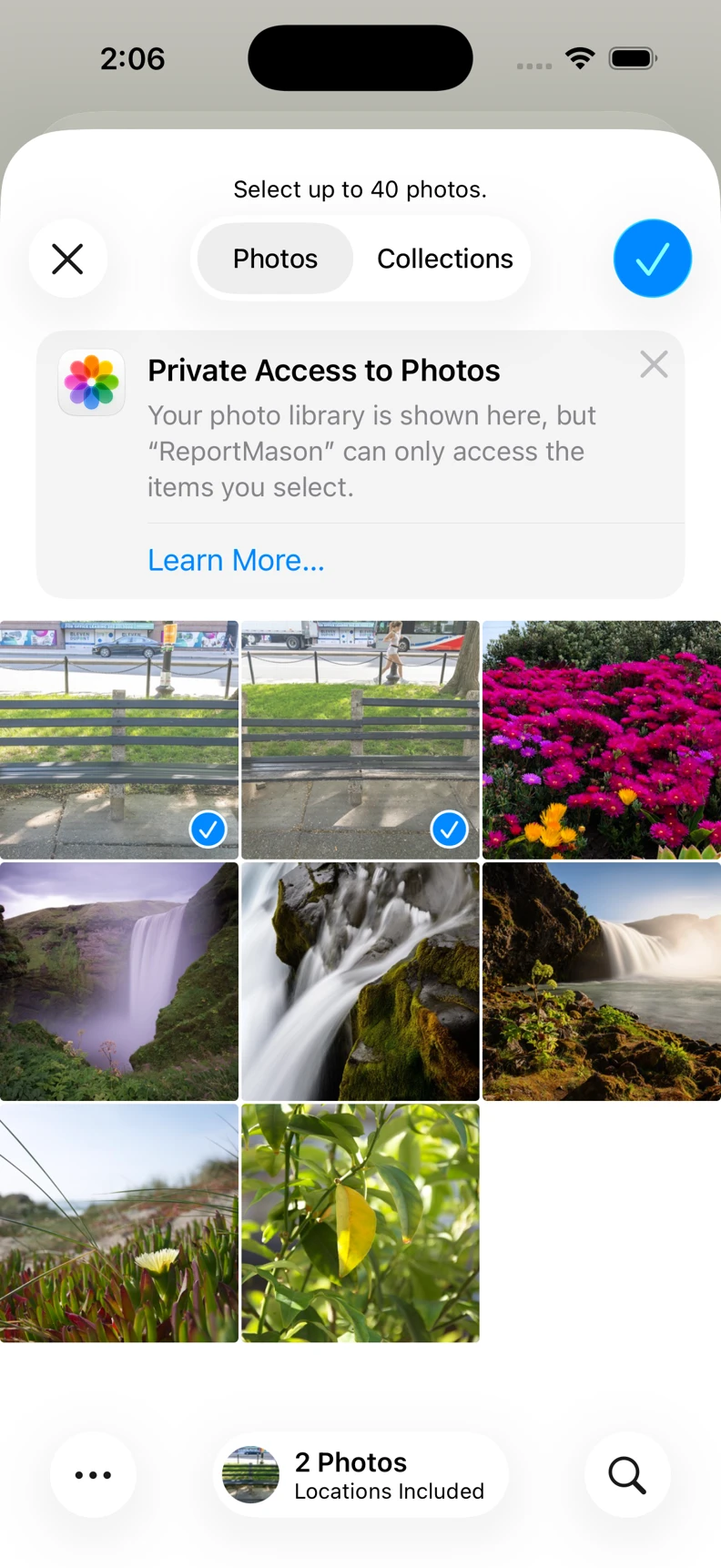
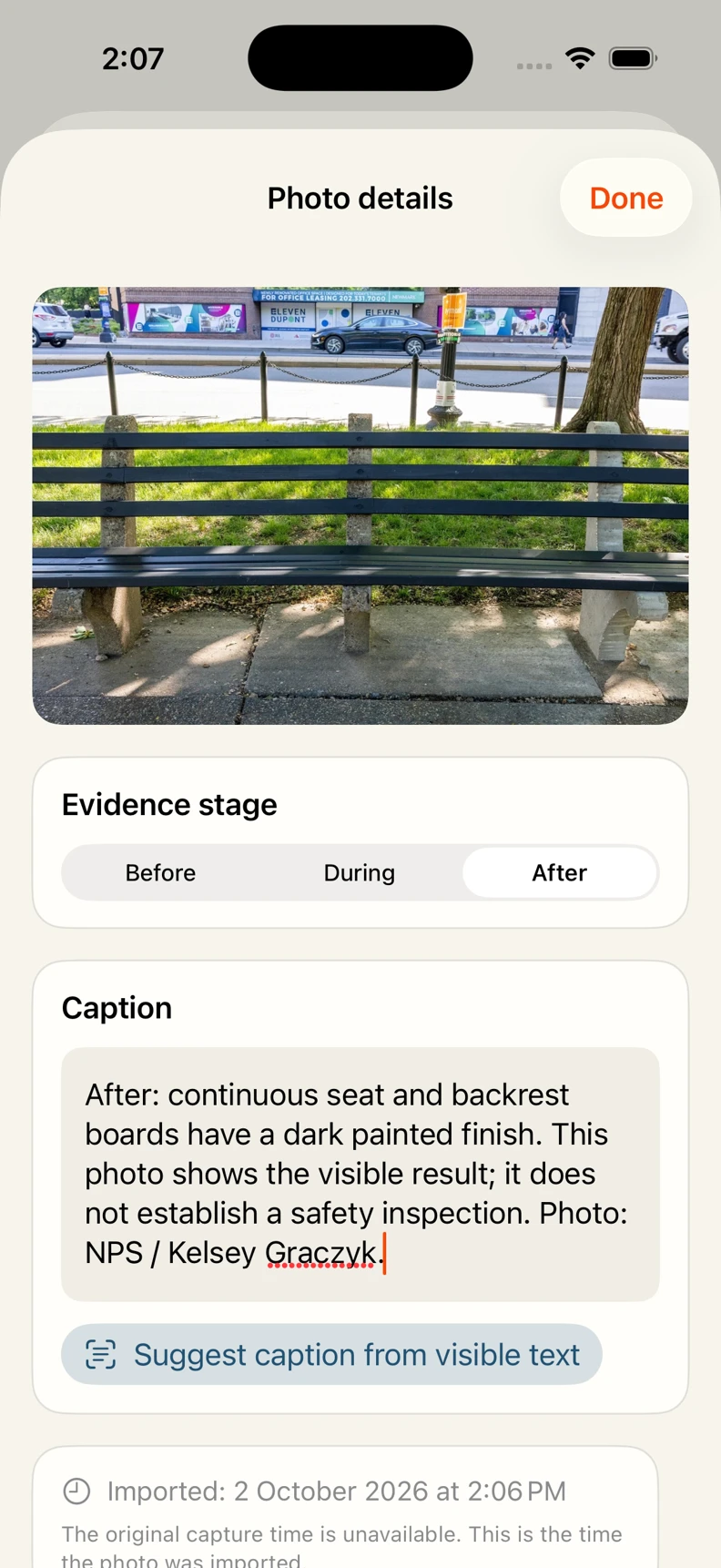
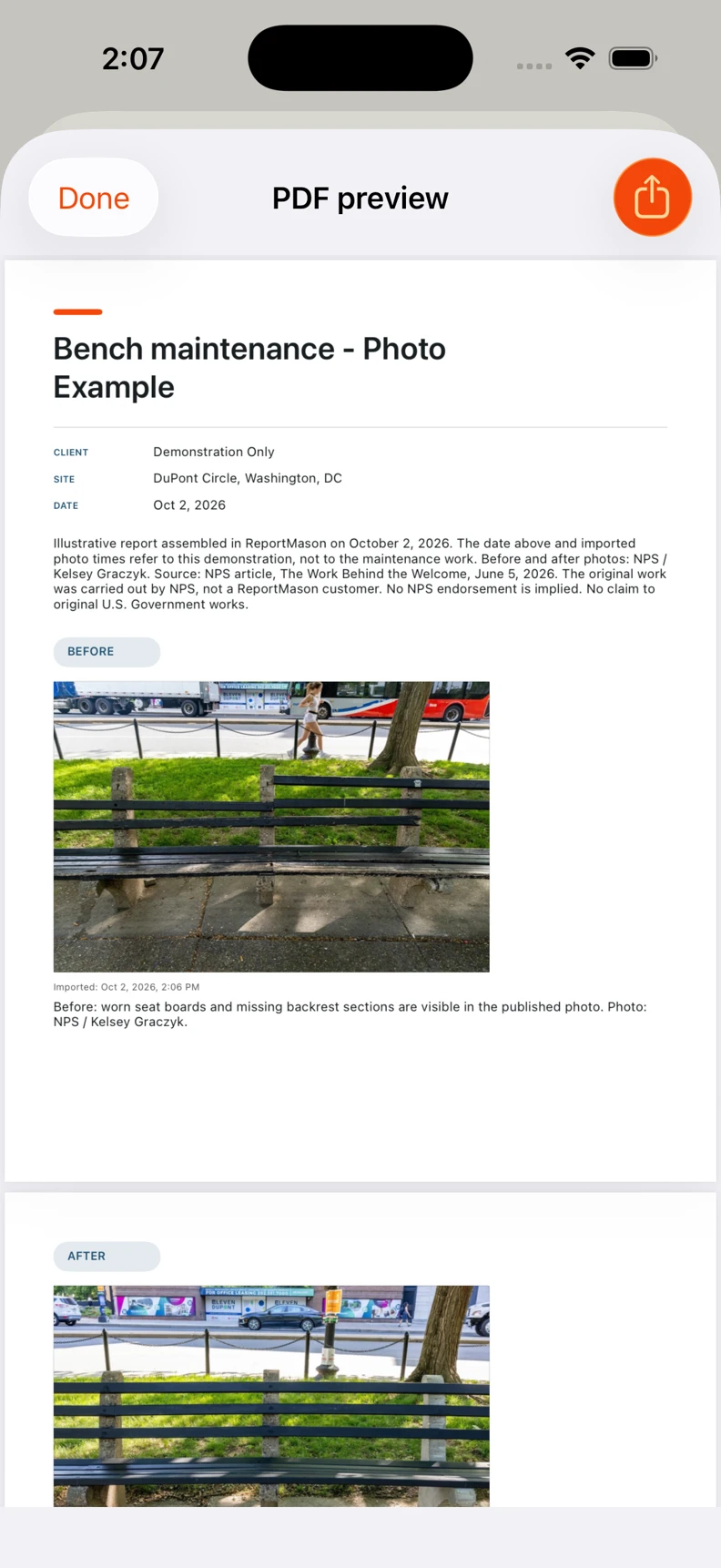
Actual interface, ReportMason 1.1.0 (6), iPhone 17 Pro simulator, iOS 26.5. Checked October 2, 2026.
Useful when the work needs context.
- Repair handoff: show the visible condition before the visit and the result afterward.
- Maintenance update: keep the photos and a short account of the visit together.
- Property condition: describe a specific area so someone can understand it without being on site.
Keep the record accurate.
A photo report describes what you recorded. Add only checks you performed, distinguish imported times from capture times, and leave unknown facts out.
Reports stay on your device until you choose to share. Check client details, locations and any signature before sending a PDF. Read the privacy policy.
Start with one report
See your PDF before you upgrade.
Free workflow
Create a report and preview the complete PDF. Previewing does not use an export. Free PDF exports have an allowance; check the remaining count in the app.
Optional Lifetime Pro
A one-time in-app purchase for unlimited PDF exports. The App Store shows the current price. You can inspect this sample without installing or buying anything.
Before your first report
Can I make a report without an account?
Yes. Create the report, import or capture photos, add captions and generate a PDF on your device. No FanStudio account is required. App installation, billing and your chosen sharing destination may need a connection.
What can I try for free?
Download the app, create a report and preview the PDF. Previewing does not use an export. Free PDF exports have an allowance shown in the app. Lifetime Pro is an optional one-time purchase for unlimited PDF exports; check the current price in the App Store.
Are these photos from a ReportMason customer?
No. This demonstration uses credited NPS photos of bench maintenance at Dupont Circle. We assembled the report in ReportMason to show its output. The date and imported timestamps describe the demonstration, not the original work.
Can I use it for a one-off job?
Yes. Start with Photo Report and include only the details your recipient needs. For a single simple photo pair, a document you already know how to edit may be enough. ReportMason is useful when you want photos, stage labels and captions in one repeatable PDF workflow.
Try it with a job you know.
Start with a few photos. Write what changed. Check the PDF before you send it.
Download on the App Store