
 OfflinePDF for iPhone, iPad & Mac
Review sensitive details before you share a PDF.
Open a PDF, review the details you want to remove, and export a separate copy. Check that copy before you share it.
For the form, statement, or client document that needs a closer look before it leaves your device.
Free to download. Optional one-time Pro upgrade. Check export limits in the app.
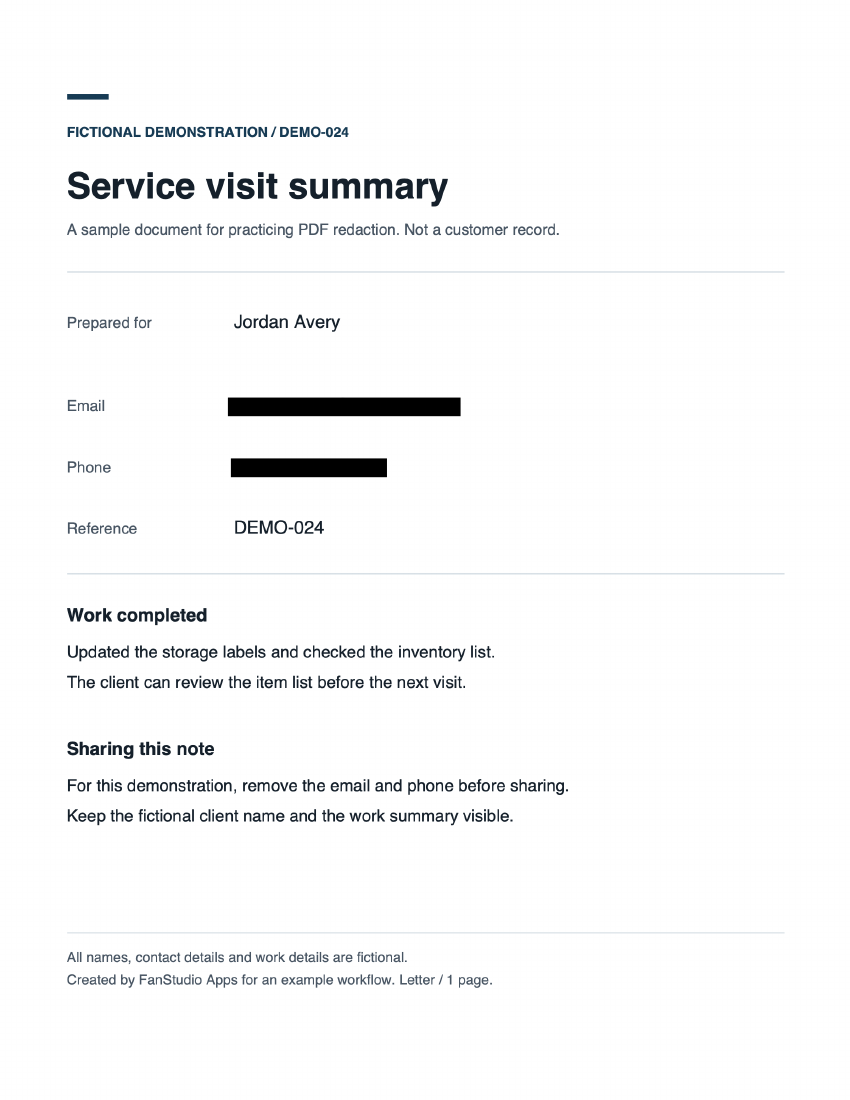
Email and phone covered. Original kept separately.
A file you can inspect
Keep the work summary. Remove the contact details.
This one-page service note is fictional. The task is simple: remove the email and phone, while keeping the client name and work summary readable.
Download exported PDF No email or signup needed.
What we observed in this copy
Exported with OfflinePDF 1.6.4 on Mac, using Hard Redaction and Verify Removal. The App’s text-removal and visual-coverage checks passed. Searching for the email and phone in macOS Preview returned no results.
This output is image-based. The remaining words are readable, but the original selectable text layer is gone. Metadata was not checked after export; creator and date fields remain in the file. Review those separately before sharing your own document.
Demonstration checked October 2, 2026. These observations describe this file; they are not a guarantee for every PDF.
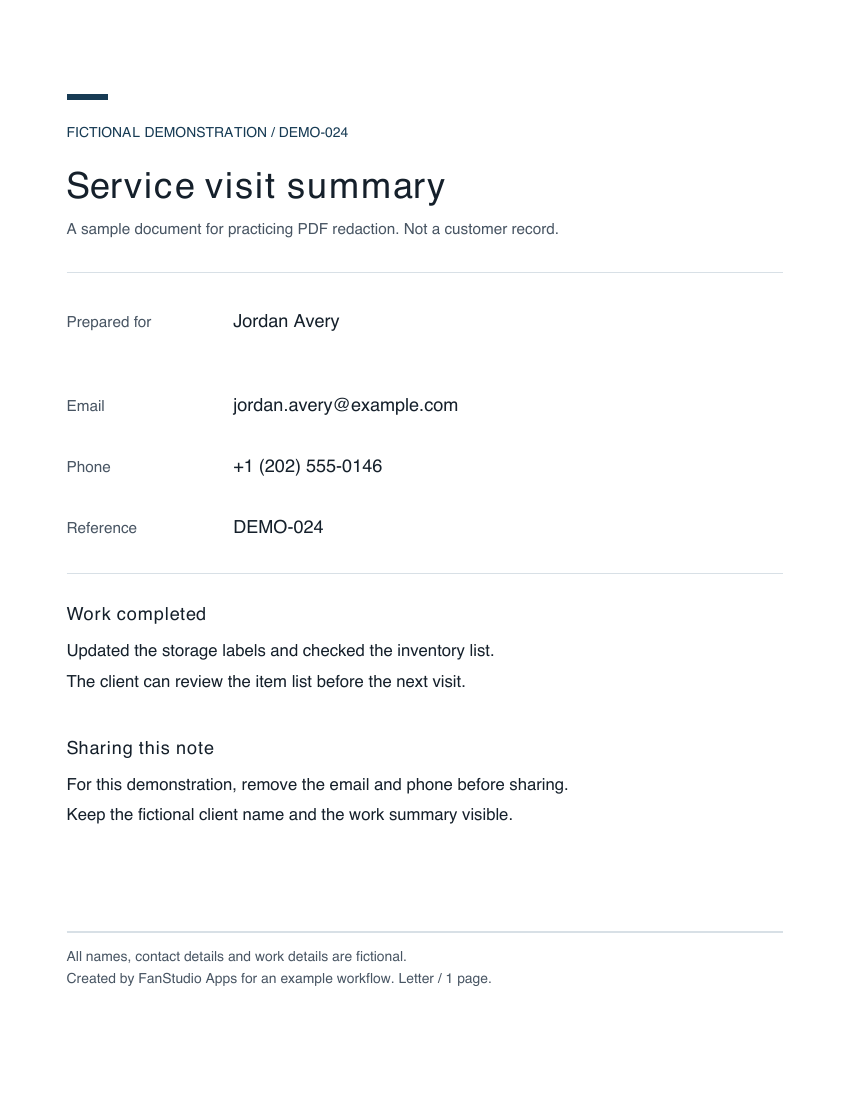
Compare with a file that only has black rectangles
In this teaching copy, the email and phone look covered, but both remain in the underlying PDF text. Search for jordan.avery@example.com to see the difference.
From original to reviewed copy
Make each removal a deliberate choice.
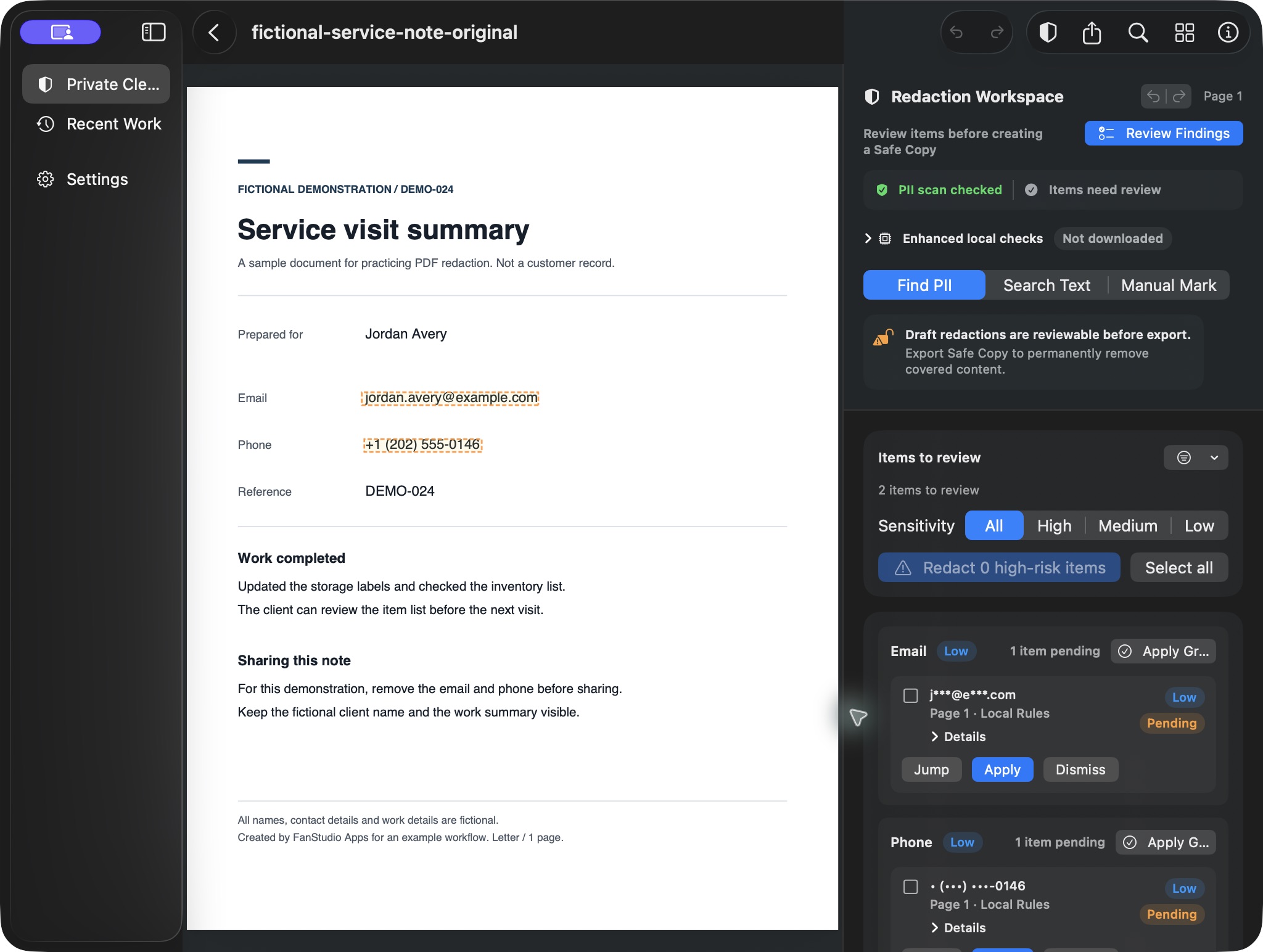
Open the PDF
Work from a local file. Keep the original so you can return to it later.
Review the findings
Check the suggested email, phone, or other sensitive details. Confirm what belongs in the copy and what should be removed.
Create draft redactions
Apply the findings you approved. Inspect the covered areas before exporting.
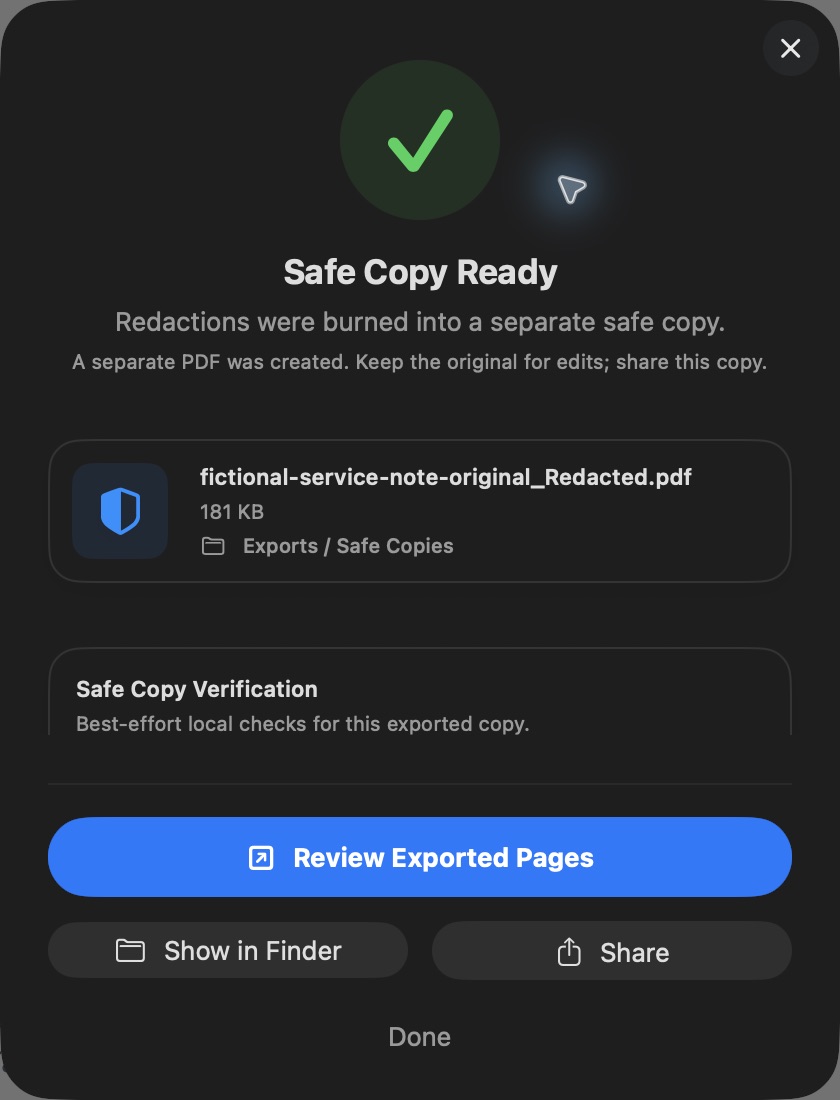
Export and reopen
For the example above, we selected Hard Redaction and Verify Removal. Read the result screen, then open the exported pages in another PDF reader.
When it fits
A closer look at everyday paperwork.
Review contact details on a form, account information in a statement, or a reference number in a client document. Local text and OCR checks help you find common patterns; you decide which details matter.
OfflinePDF also provides page editing, metadata tools, and batch workflows when you need more than a single-file review.
Before you send it
Read the file. Read the checks.
- Automatic findings can miss information. Look through every page.
- A redaction check does not mean metadata was also checked.
- Image-based output may not suit a task that needs selectable text or accessible document structure.
- For scanned pages, inspect the covered area visually as well as checking any text layer.
On your device
Review the PDF locally.
Import, OCR, review, redaction, and export happen on your device for the core workflow. No account is required. OfflinePDF does not train AI models with your documents.
App Store billing and optional support contact can use the network. See our privacy policy.
For your next step
Share only what the task needs.
Before sending a document to a client, colleague, or AI tool, decide which details the recipient actually needs. Use the separate export after reviewing it.
Start with one PDF
Try the review workflow before you upgrade.
Free to download
Open a single PDF, review findings, and create draft redactions. Check the current export allowance in the app.
Optional one-time Pro upgrade
For repeated exports and advanced workflows, including batch tools and saved presets. The App Store shows the current price and purchase details.
Questions before your first export
Is drawing a black box enough?
In the teaching file on this page, black rectangles hide the email and phone visually, but both remain in the PDF text. Use a redaction export and check the resulting file rather than relying on its appearance.
Will the export keep selectable text?
The Hard Redaction example on this page is an image-based PDF. The remaining words are readable, but its original selectable text layer is gone. Some readers may recognize visible words with their own OCR. Check whether this output suits your next step.
What still needs checking?
Review the exported pages, search for known removed details, and check the filename and metadata. This example passed the App’s redaction checks, but metadata was not checked after export. A passed check covers that check, not every possible hidden detail.
Can I work offline?
OCR, review, redaction, and export run on your device for the core PDF workflow. App Store billing and optional support contact can need a connection. No account is required for the core workflow.
What can I try for free?
The app is free to download. Start with a single PDF, review findings, and create draft redactions. Check the current export allowance in the app. An optional one-time Pro upgrade adds repeated exports and advanced workflows; the App Store shows the current price.
Take the check one step further.
Start with a document you know.
Review the details, create a separate copy, and check what changed.
Download on the App Store