Expense receipts
Capture receipts for reimbursements or tax records in seconds.
 FanStudio Apps
Get the app
FanStudio Apps
Get the app
Scan paper docs into searchable files.
Scan and summarize documents privately with offline OCR and on-device AI.
No uploads, no accounts, no tracking SDKs. Your documents stay local.
Free to download. Optional one-time Pro upgrade.
Ideal for receipts, forms, and notes across the US and Europe.
Capture receipts for reimbursements or tax records in seconds.
Scan tickets, confirmations, and IDs into a clean PDF archive.
Turn handwritten notes into searchable text and summaries.
A 30-second flow from scan to share.
Capture a page with guided edges and lighting hints.
Get searchable text and a quick on-device summary.
Save as PDF or share to Files, Notes, or email.
Scan, review OCR text, and export a clean PDF in one short flow.
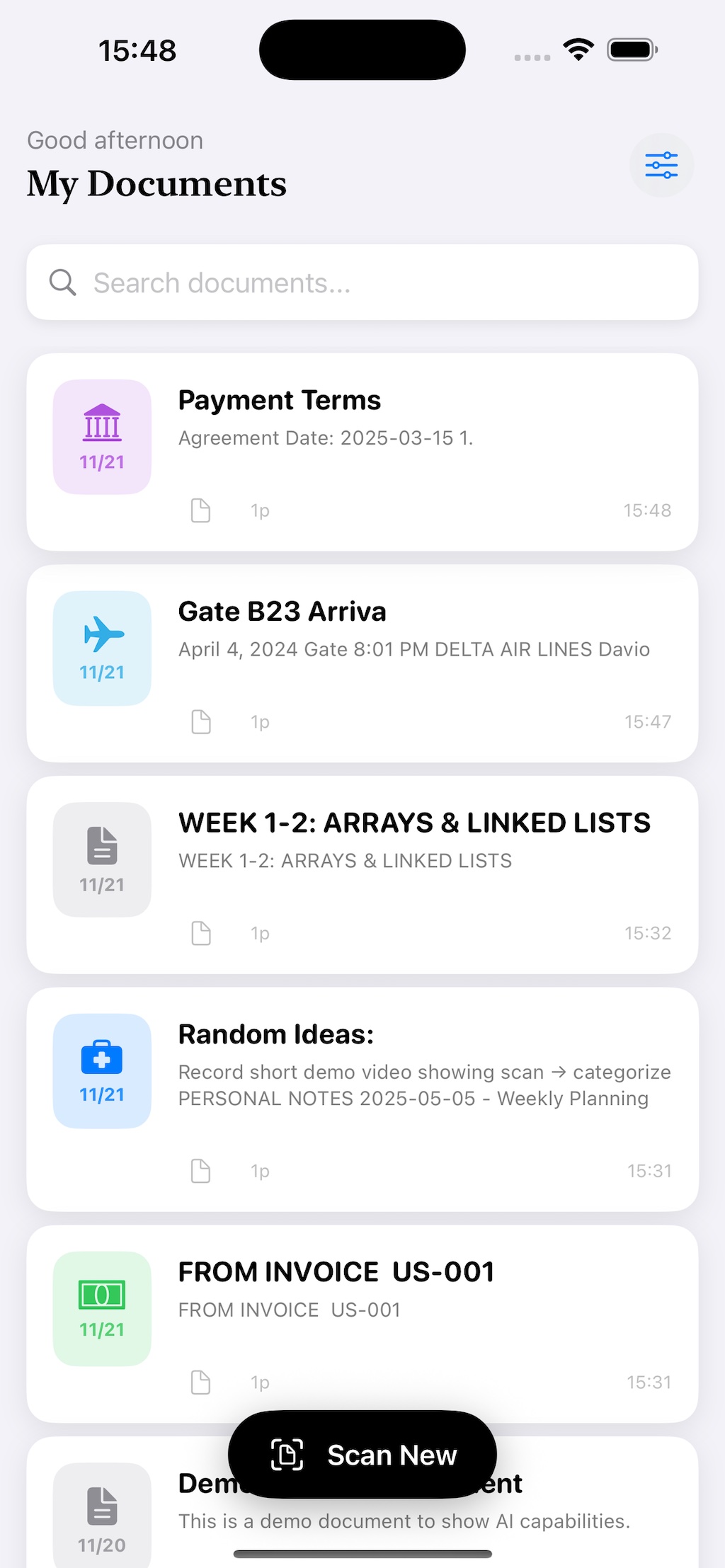
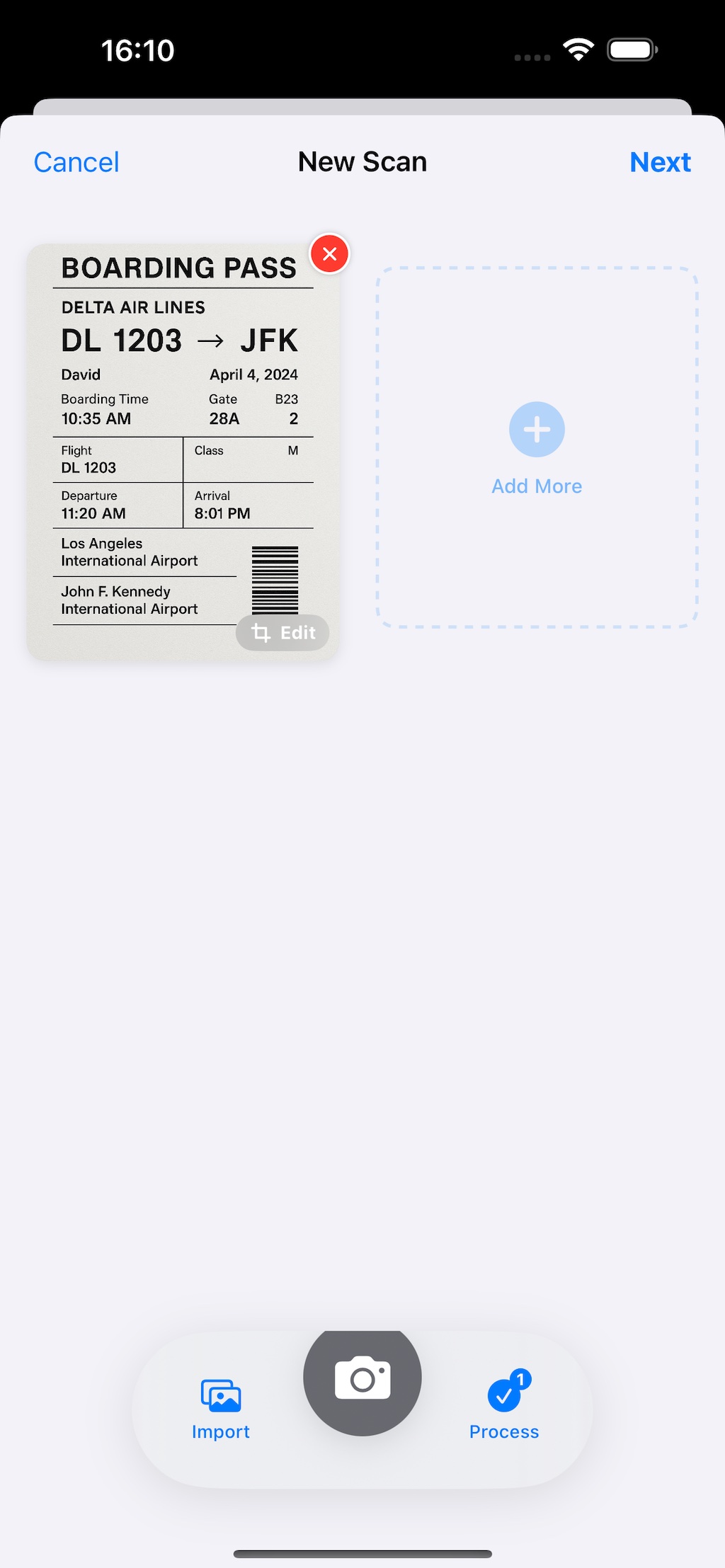
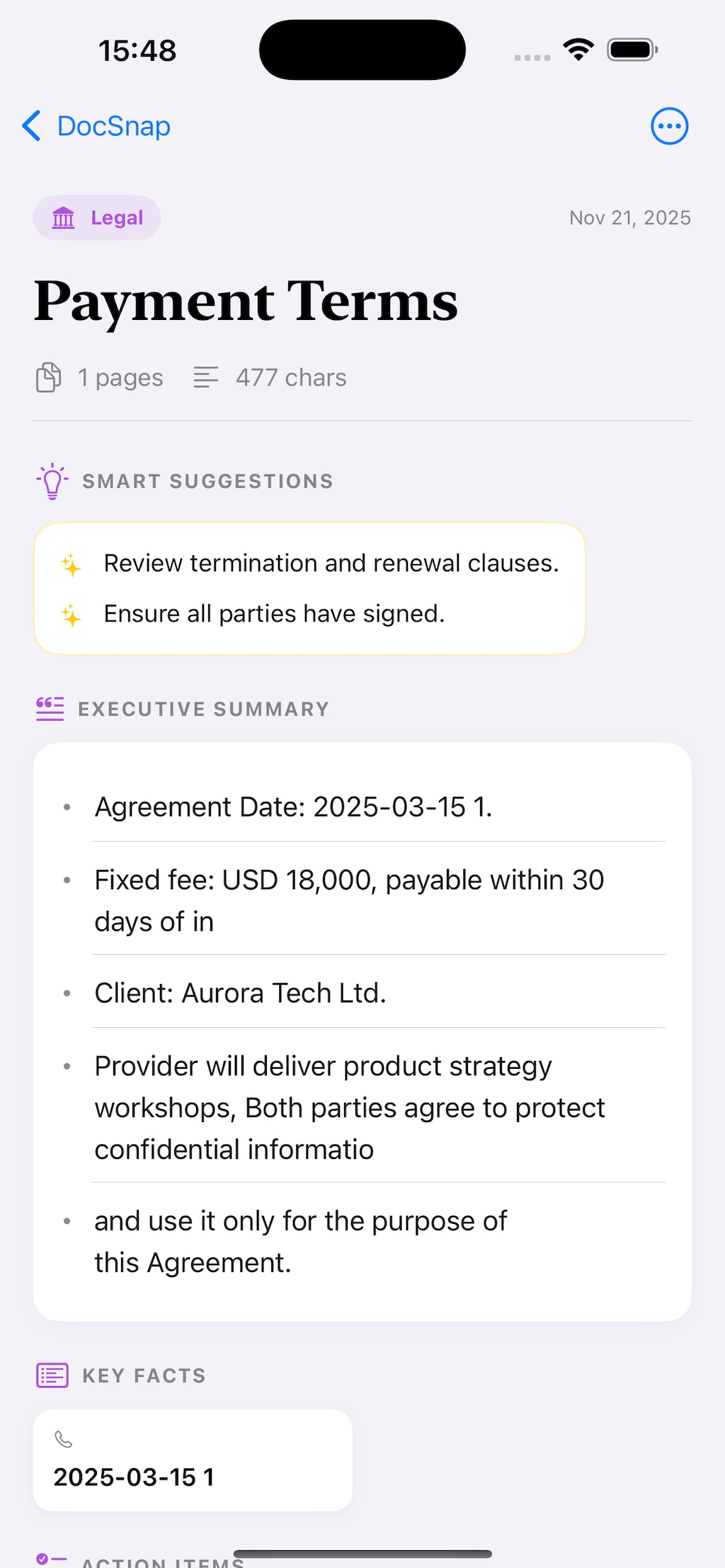
Fast scanning with private, on-device intelligence.
Alignment hints help you capture clean pages fast.
Turn scans into searchable text without uploads.
Get quick summaries and key details locally.
Organize work, receipts, and study notes in one place.
Correct or clean up recognized text anytime.
Save as PDF or plain text and share where you work.
Privacy defaults matter more than feature checklists for receipts, IDs, and contracts.
What stays local, what may need network, and what is retained.
If a future cloud-assisted summary mode is introduced, it will be opt-in and explicitly documented here and in-app.
Free to download with an optional Pro upgrade.
$0
One-time upgrade
Exact pricing and feature availability are listed in the App Store.
Capture receipts, run OCR, and keep a readable record for reimbursements or tax prep.
Turn forms, notices, and signed pages into searchable PDFs you can file or send.
Scan class notes or meeting notes, then review OCR text and quick summaries.
Use the scan and OCR workflow without making document upload the default path.
No. In the current release, capture, OCR, and summaries stay on your device.
Yes. Core scanning and OCR work offline.
Yes. You can review and edit OCR text before sharing or saving output.
No. You can start using DocSnap without creating an account.
No. It is free to download, with an optional one-time Pro upgrade.
Use DocSnap to scan, then OfflinePDF Pro for advanced redaction workflows.